

"Hacostadium Lighting Bible" Part 3: Japanese-Style Room Edition
 Hacostadium Lighting Bible
Part 3: Japanese-style Room
Nissin Japan visited the cosplay amusement spaces "HACOSTADIUM OSAKA" and "HACOSTADIUM cosset Osaka Nipponbashi"! We conducted a photoshoot using Nissin strobes at Hacostadium, which offers various settings for shooting. We would like to introduce the photos taken and the methods behind them in this series. For Part 3, we will present photos taken in the 4F Japanese-style room at "HACOSTADIUM OSAKA".▼ Here are the photos from this shoot! ▼
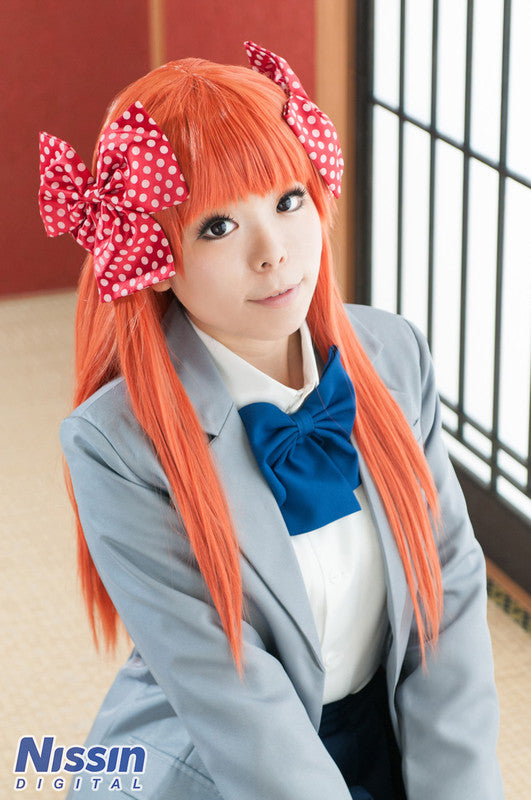
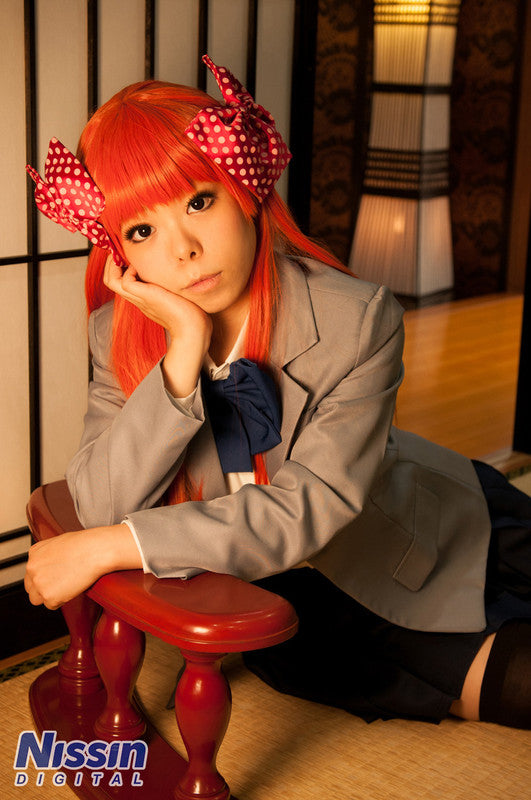 Model: Ibuki Photography: Ai Ehara
(Click images to enlarge)
Although it is the same room, I think the two photos have different atmospheres. Even in the same location, lighting can change the mood significantly. We only used one or two strobes, so the setup is not overly complicated. Let's take a look at the shooting methods!
Shooting Method (1)
The first photo has a natural lighting atmosphere, as if daylight is streaming in through the shoji screens. Those who read the previous "Classroom" installment might already be able to guess the lighting setup... First, for comparison, I would like you to see a photo taken with only indoor room lighting and no strobe.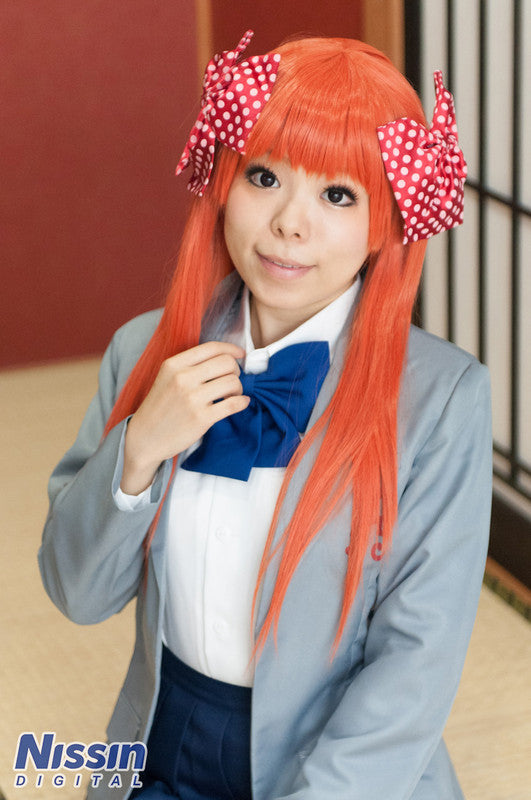 Shot with indoor lighting onlyWhile you can take bright photos with just indoor lighting, the shoji screens look dark compared to the photo above, giving it a somewhat dim impression. The lighting is also flat (which is fine in its own right), so it doesn't bring out much depth or texture in the clothing. If you compare the jackets and ribbons, I think you can feel the difference in texture.
Therefore, I want to add one strobe here. Since we are in a Japanese-style room with shoji screens, let's close them and use them as a diffuser. Because the shoji screens diffuse the light as it passes through, they can create soft lighting on their own.
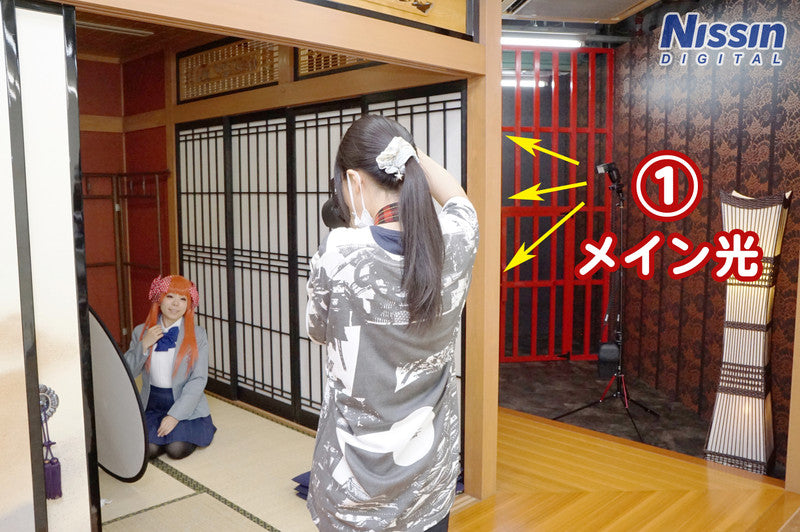 [Lighting Data]
(1) Di700 - Direct light to shoji, wide panel engagedTo ensure the strobe light hits the shoji widely, extend the wide panel and place the strobe a little bit away from the screen. The wide panel is used when you want to illuminate a broad area because it expands the strobe's irradiation angle. If you don't use the wide panel, the illuminated area will be narrow, resulting in concentrated, hard light.
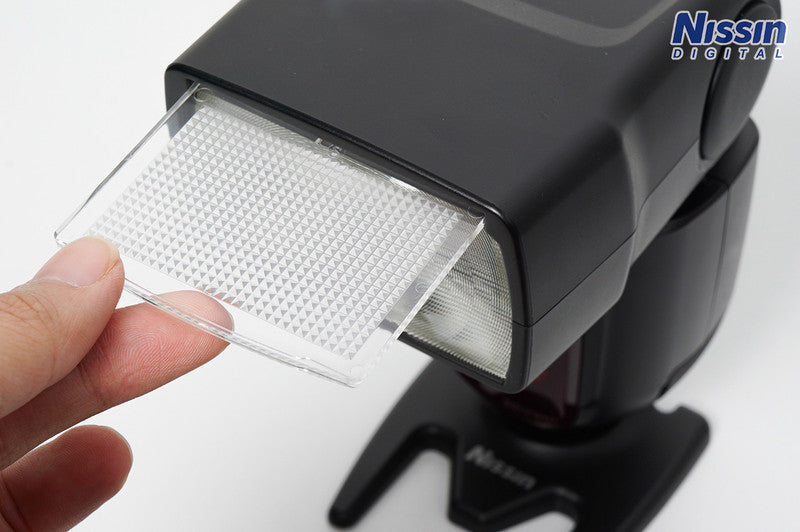 Wide panel. Pull it out from the top.
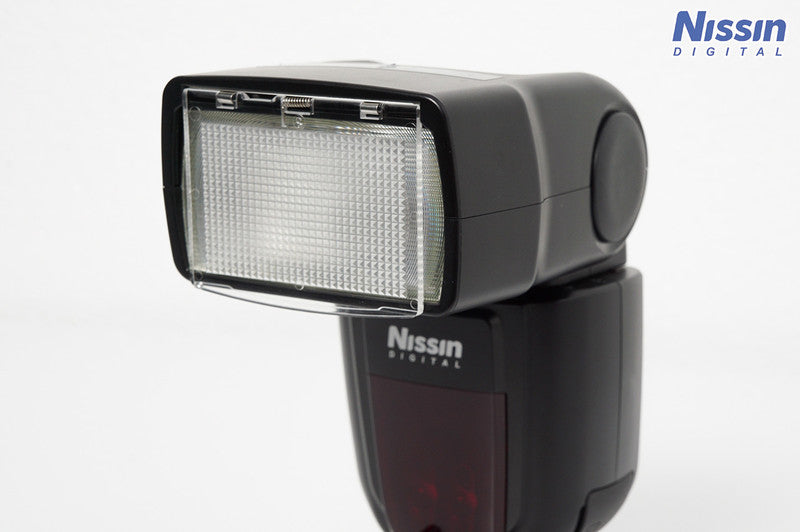 State with wide panel engaged
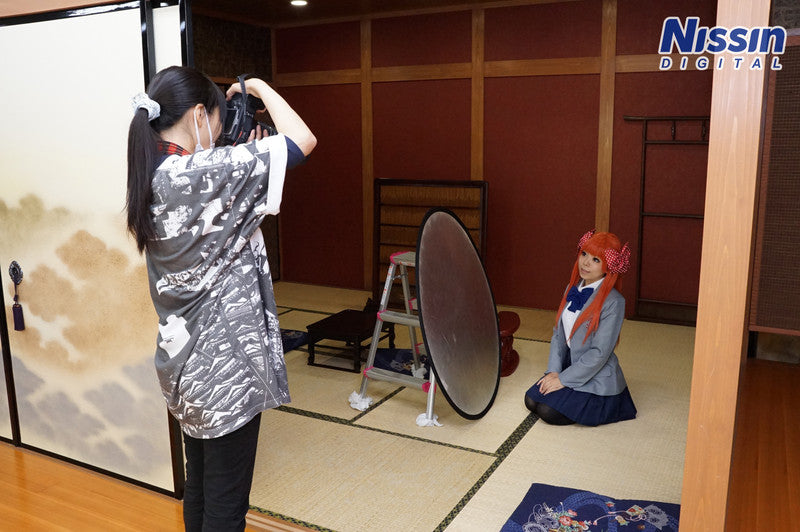 Place a reflector to soften the shadows on the face. I borrowed the stepladder from Hacostadium.
Here is the photo taken using one strobe.
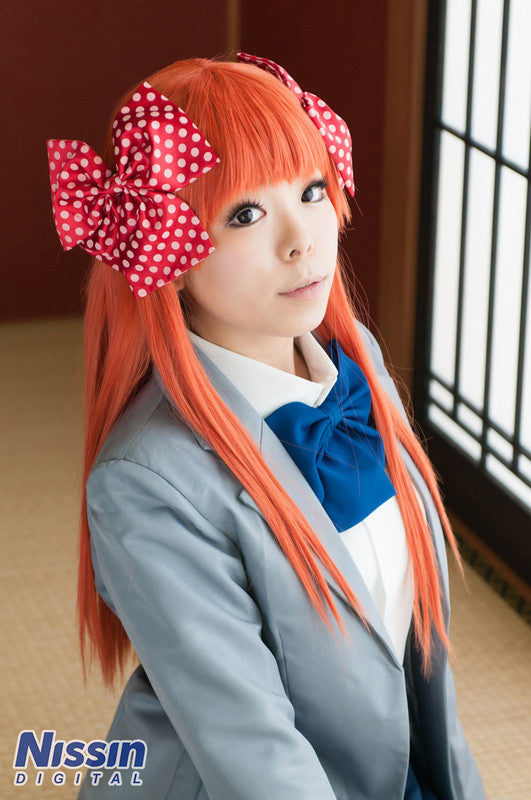 Used 1 strobeI was able to capture a photo with soft light. This is good, but the background feels a little dark, so let's add another strobe for the background.
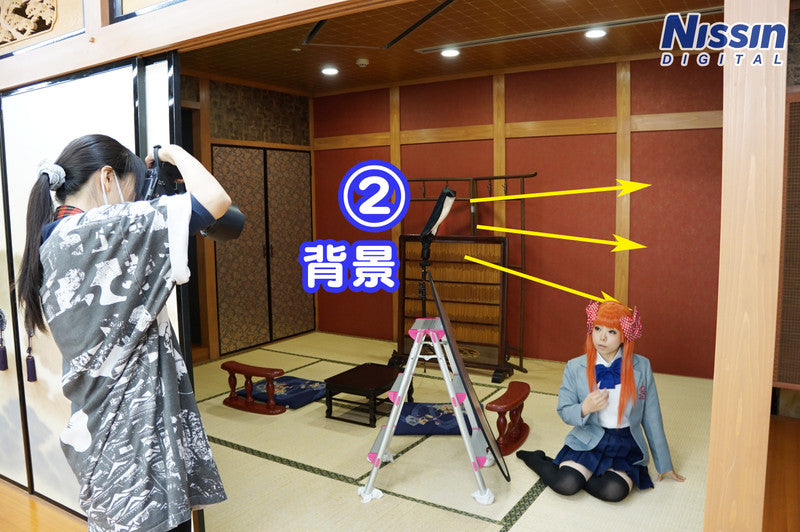 (2) Di700 - Rogue FlashBender 2 XL PROFor the strobe lighting the background, I used a lighting accessory called the Rogue FlashBender 2 XL PRO. It is an item that turns your strobe into a simple softbox. It can be folded to be thin and small, making it convenient to carry! Be careful with the direction of the strobe so that the light doesn't hit the model too directly. It does have the effect of brightening the shadow side of the model to some extent, but depending on the angle, it can sometimes create unnatural light on the face.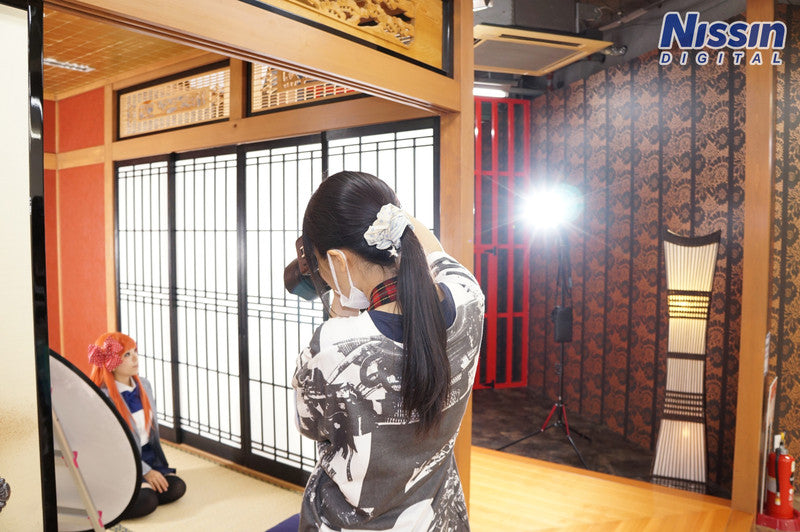
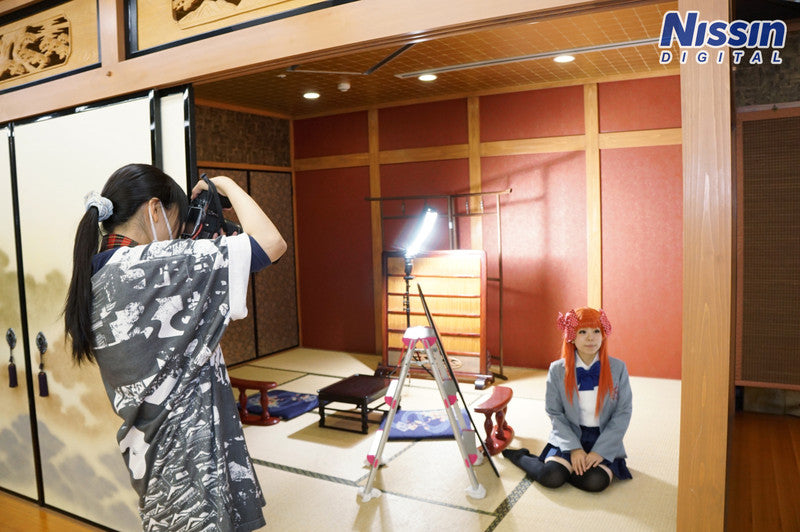
This is how it looks when each is lit. Can you tell how the entire shoji screen is glowing brightly, and how the room is illuminated? By using these two strobes, we created a photo with a bright background.
Used 2 strobes▼Comparison▼
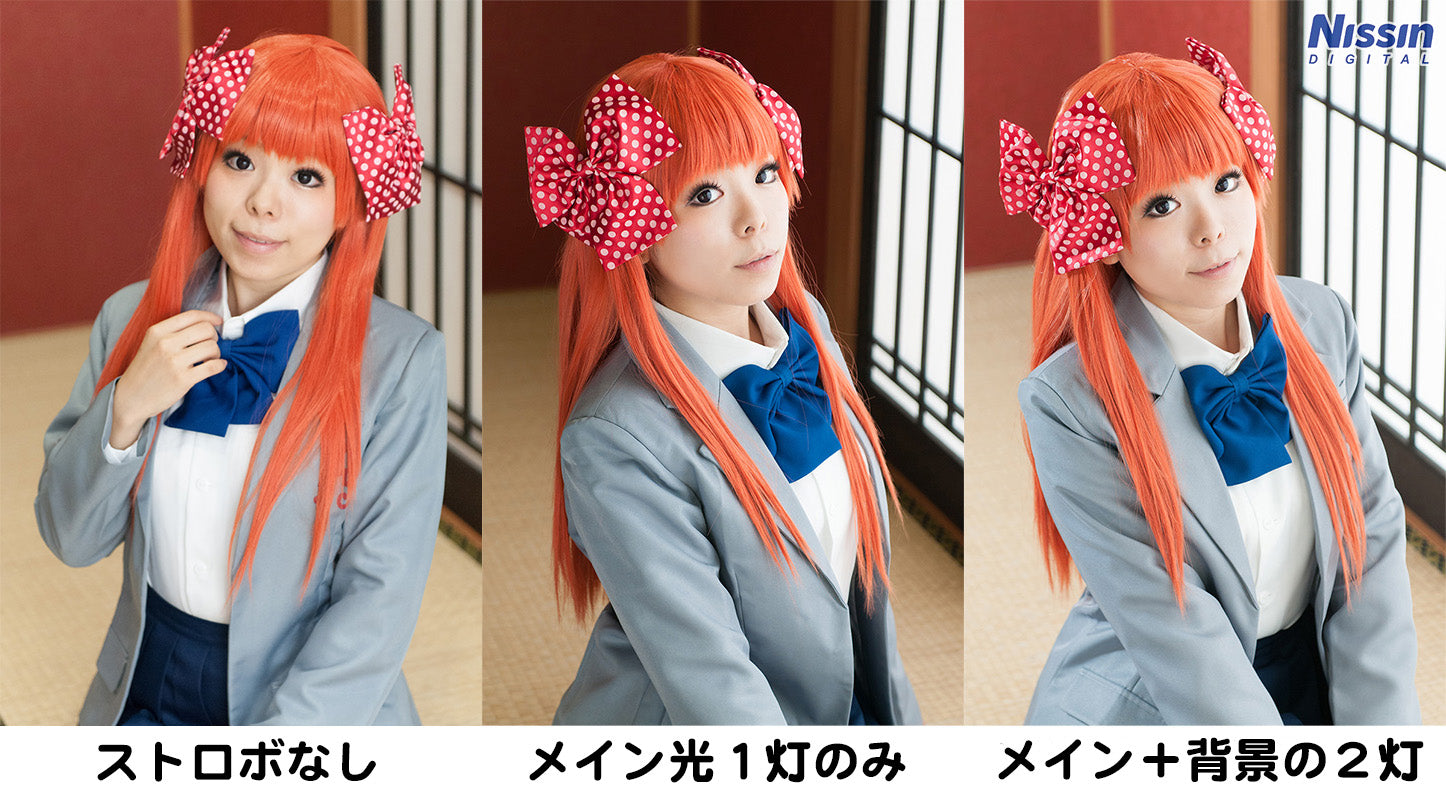 This time, we ultimately went with a two-strobe setup, but I think the photo with just one also had a nice atmosphere. There is no right or wrong in lighting. Try using it differently depending on the photo you want to take!
Shooting Method (2)
In complete contrast to the previous photo, this one has a slightly moody atmosphere. I shot this with the image of being illuminated by the light of a paper lantern (andon) at night. (Please ignore whether it fits the character for now...!)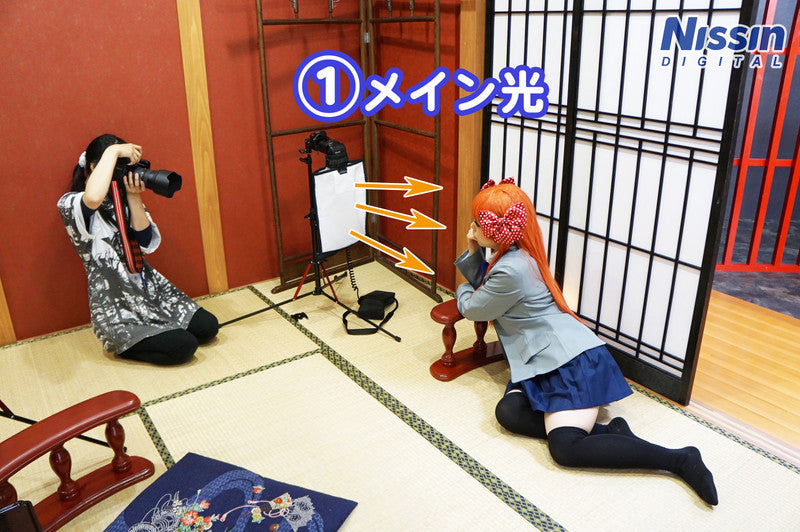 [Lighting Data]
(1) Di700 - Rogue FlashBender 2 XL PRO + Color Filter (Amber), Intensity 1/32I shot this using only one main light. Similar to the background light used before, I used the Rogue FlashBender 2 XL PRO.
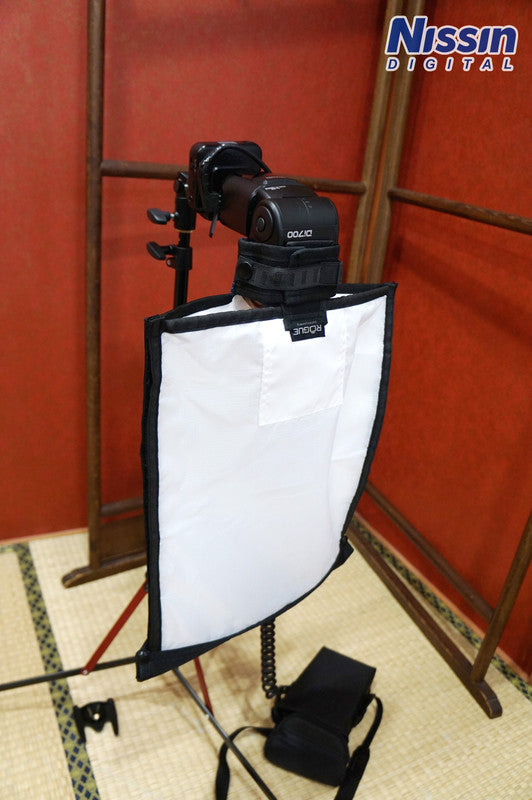 Rogue FlashBender 2 XL PRO
Rogue FlashBender 2 XL PROThe difference from before is that I used a color filter—specifically the Amber (Full CTO) from the ROGUE Universal Lighting Filter Kit. By doing so, I could simulate the color of candlelight or a paper lantern.
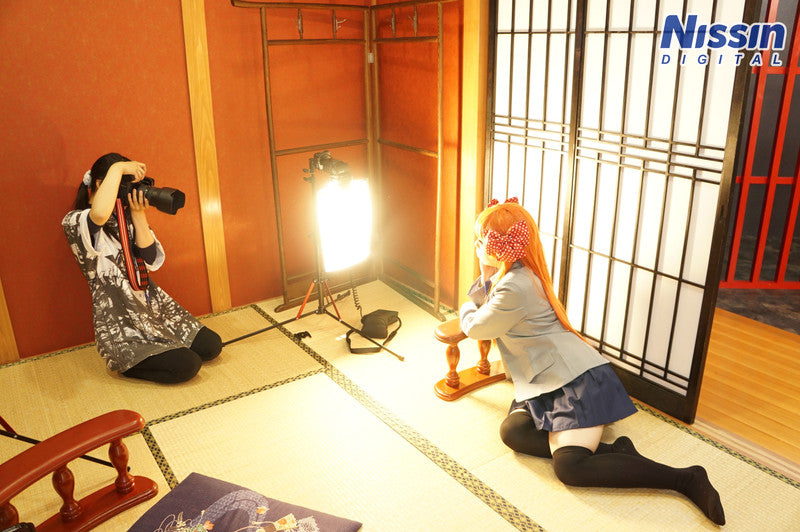
I also created depth by opening the rear shoji screen and capturing the lighting set up outside.
Adjust the brightness of the rear lighting using your shutter speed.
For reference, this photo was taken at ISO 400, aperture F4, and shutter speed 1/80.If you want to make the outside lighting look brighter, slow down your shutter speed; if you want it darker, speed up your shutter speed to adjust the brightness. As a side note, I will post the photo without the strobe...
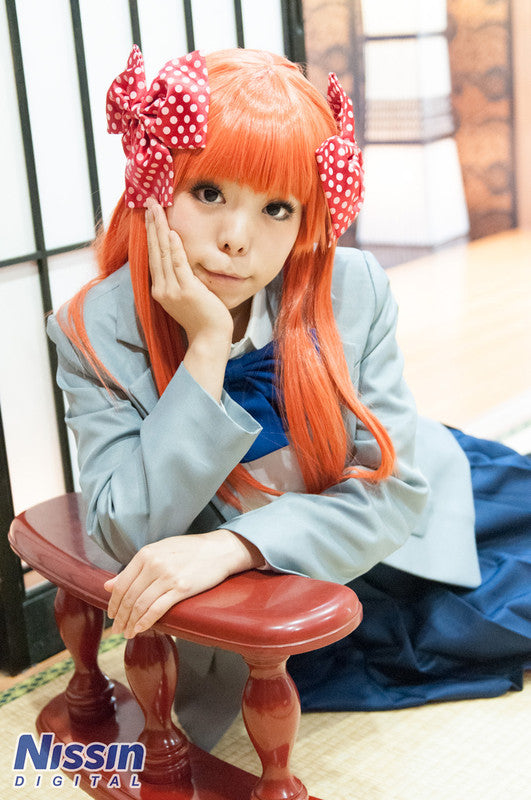 Shot with indoor lighting only...It's completely different!! If you don't use a strobe, the area outside the room will become bright, so it won't look like a night scene at all. It's a type of lighting unique to strobes where applying light actually creates the look of night.
The location for this shoot was the Japanese-style room at "HACOSTADIUM OSAKA". The interesting thing about strobes is that you can create both daytime and nighttime scenes with light! Also, using the shoji as a diffuser or incorporating existing lighting... I think using what is already there is also a key point. The same applies to ceiling bounce or wall bounce mentioned last time. You can stage photos endlessly depending on your ideas. However, make sure not to break any fixtures or sets (which goes without saying...), and use them within the allowed scope!
(2014/11/06 Photo & Text: Ai Ehara)
Shooting Data・Photo 1 (Through the shoji)[Camera Settings]
ISO 400
Aperture: F4
Shutter Speed: 1/125
[Lighting Settings]
(1) Main light: Di700, wide panel engaged, full power output
(2) Background light: Di700, ROGUE XL diffuser, intensity 1/4
Reflector (silver) on model's left side
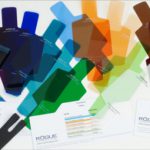 ROGUE Universal Lighting Filter Kit<Recommended third-party product>
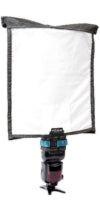 ROGUE FlashBender 2 XL PRO<Recommended third-party product>
Photography & Production
Nissin Digital
HACOSTADIUM cosset Osaka Nipponbashi
Shot with indoor lighting only...It's completely different!! If you don't use a strobe, the area outside the room will become bright, so it won't look like a night scene at all. It's a type of lighting unique to strobes where applying light actually creates the look of night. The location for this shoot was the Japanese-style room at "HACOSTADIUM OSAKA". The interesting thing about strobes is that you can create both daytime and nighttime scenes with light! Also, using the shoji as a diffuser or incorporating existing lighting... I think using what is already there is also a key point. The same applies to ceiling bounce or wall bounce mentioned last time. You can stage photos endlessly depending on your ideas. However, make sure not to break any fixtures or sets (which goes without saying...), and use them within the allowed scope!
(2014/11/06 Photo & Text: Ai Ehara)
Shooting Data・Photo 1 (Through the shoji)[Camera Settings]
ISO 400
Aperture: F4
Shutter Speed: 1/125
[Lighting Settings]
(1) Main light: Di700, wide panel engaged, full power output
(2) Background light: Di700, ROGUE XL diffuser, intensity 1/4
Reflector (silver) on model's left side
・Photo 2 (Lantern style)[Camera Settings]
ISO 400
ISO 400
Aperture: F4
Shutter Speed: 1/80[Lighting Settings]
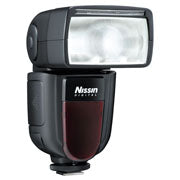 Di700ADirect sales/Authorized dealer exclusive modelGuide number 54 (200mm), 28 (35mm) *ISO100
Newly equipped with radio-based wireless TTL system (NAS), easy and fast operability. TTL strobe for digital SLR cameras. For Canon/Nikon/Sony/Fujifilm/Four Thirds.
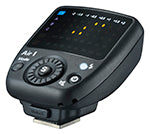 Air1*Discontinued modelCompliant with NAS (Nissin Air System). Dedicated commander for radio-based wireless communication system. For Canon/Nikon/Sony/Fujifilm/Four Thirds.
Shutter Speed: 1/80[Lighting Settings]
(1) Main: Di700, Rogue XL diffuser, intensity 1/32
+ ROGUE Universal Lighting Filter Kit, Amber (Full CTO)
[List of Shooting Equipment]Di700ADirect sales/Authorized dealer exclusive modelGuide number 54 (200mm), 28 (35mm) *ISO100Newly equipped with radio-based wireless TTL system (NAS), easy and fast operability. TTL strobe for digital SLR cameras. For Canon/Nikon/Sony/Fujifilm/Four Thirds.
Air1*Discontinued modelCompliant with NAS (Nissin Air System). Dedicated commander for radio-based wireless communication system. For Canon/Nikon/Sony/Fujifilm/Four Thirds.
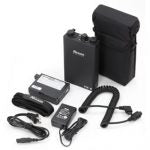
Power Pack PS 8Direct sales exclusive model
High-power "External Strobe Power Source" using nickel-metal hydride rechargeable batteries with two sockets. Cassette-type battery pack. Can also charge USB devices such as mobile WiFi routers and iPads.
High-power "External Strobe Power Source" using nickel-metal hydride rechargeable batteries with two sockets. Cassette-type battery pack. Can also charge USB devices such as mobile WiFi routers and iPads.
ROGUE Universal Lighting Filter Kit<Recommended third-party product>ROGUE FlashBender 2 XL PRO<Recommended third-party product>Photography & Production
Nissin Digital
Cooperation
HACOSTADIUM OSAKAHACOSTADIUM cosset Osaka Nipponbashi