

Hacostadium Lighting Bible Part 10: Factory Corridor Edition

Vol. 10: Factory Passageway
Nissin Japan visited the cosplay amusement spaces "HACOSTADIUM OSAKA", "HACOSTADIUM cosset Osaka Nipponbashi", and "HACOSTADIUM cosset Ikebukuro"! We conducted a photoshoot using Nissin strobes at Hacostadium, where you can shoot in various situations. In this series, we will introduce the photos we took along with the techniques used. For Vol. 10, we will share photos taken in the Factory Passageway at "HACOSTADIUM cosset Ikebukuro".▼ Here are the photos! ▼
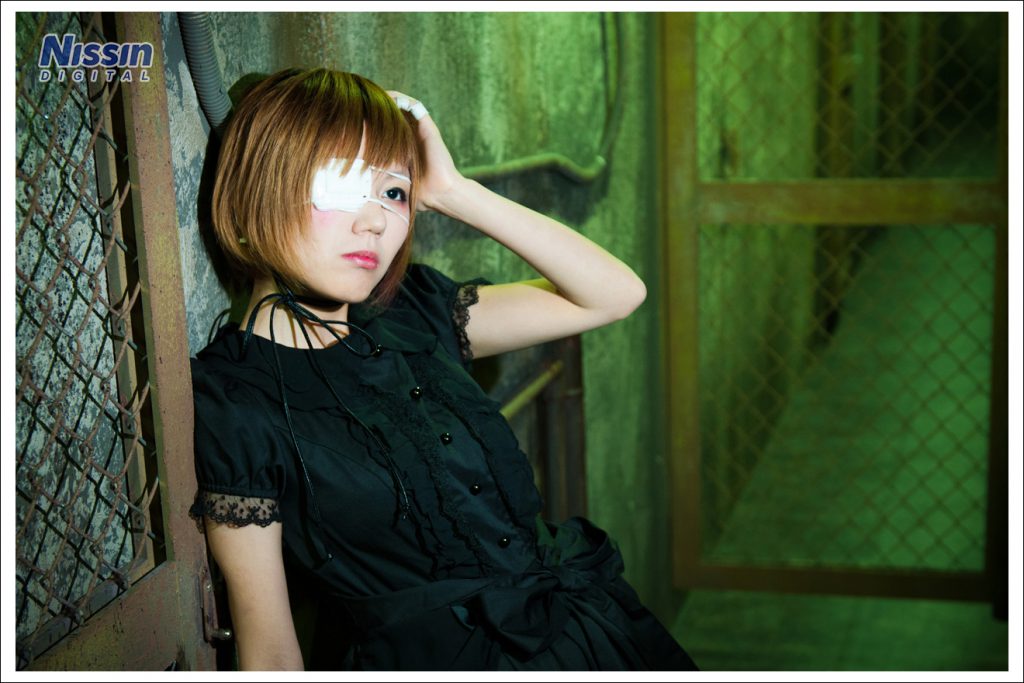
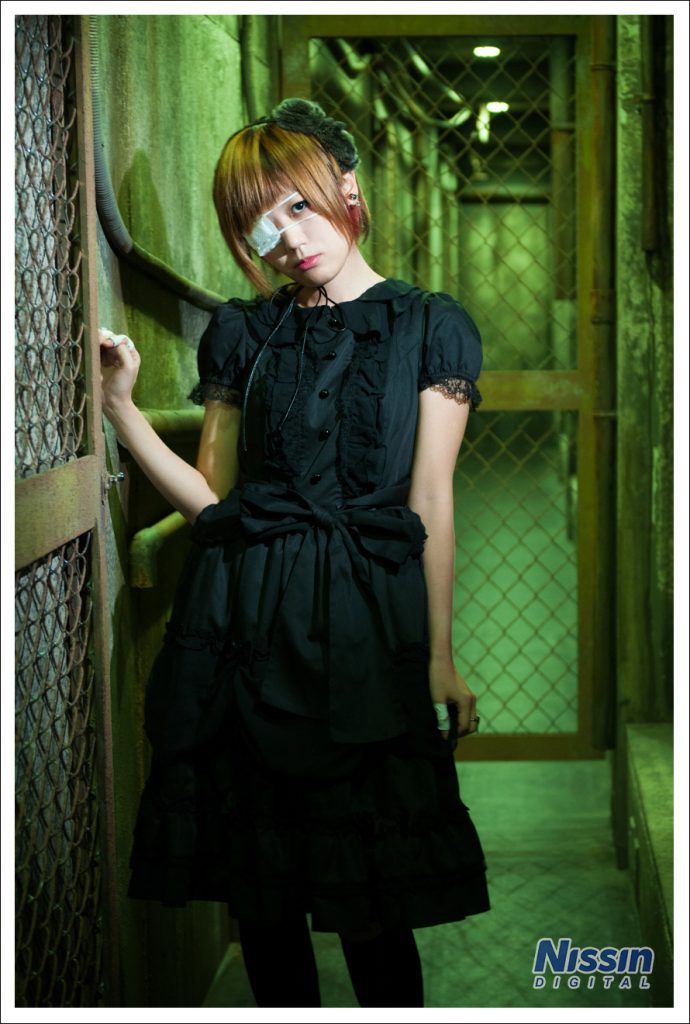 Model: Meta-san Photography: Ai Ehara
I tried capturing the deep factory passageway with a dim, mysterious atmosphere. I think the green lighting in the hallway serves as a nice accent.
Actually, for this shoot, I used only one strobe without any accessories.
If you have a strobe and "a certain item," you can replicate this immediately.
Let's take a look at how to shoot it!
Photography MethodFirst, let's take a look at the layout of the factory passageway.
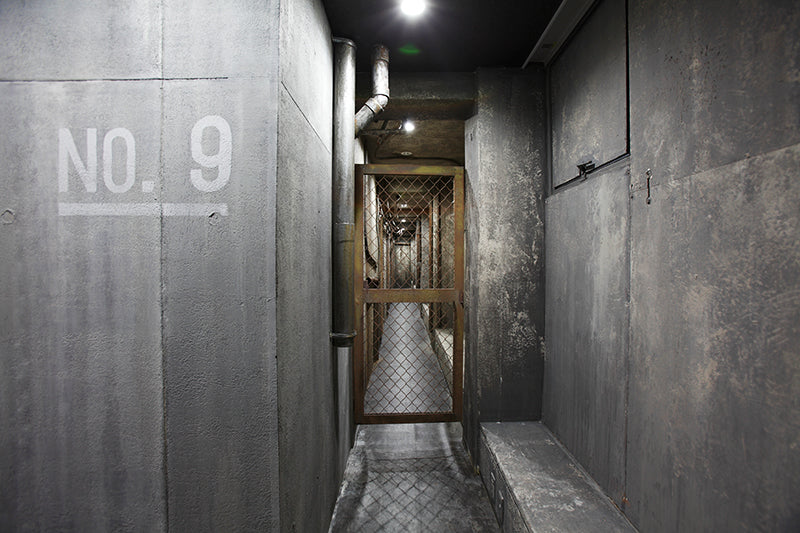 As you can see, it is a narrow, long corridor extending toward the back. Some of you may have noticed by comparing the previous photos with this image, but the lighting in this hallway is not actually green.
If you shoot as is with ambient light...
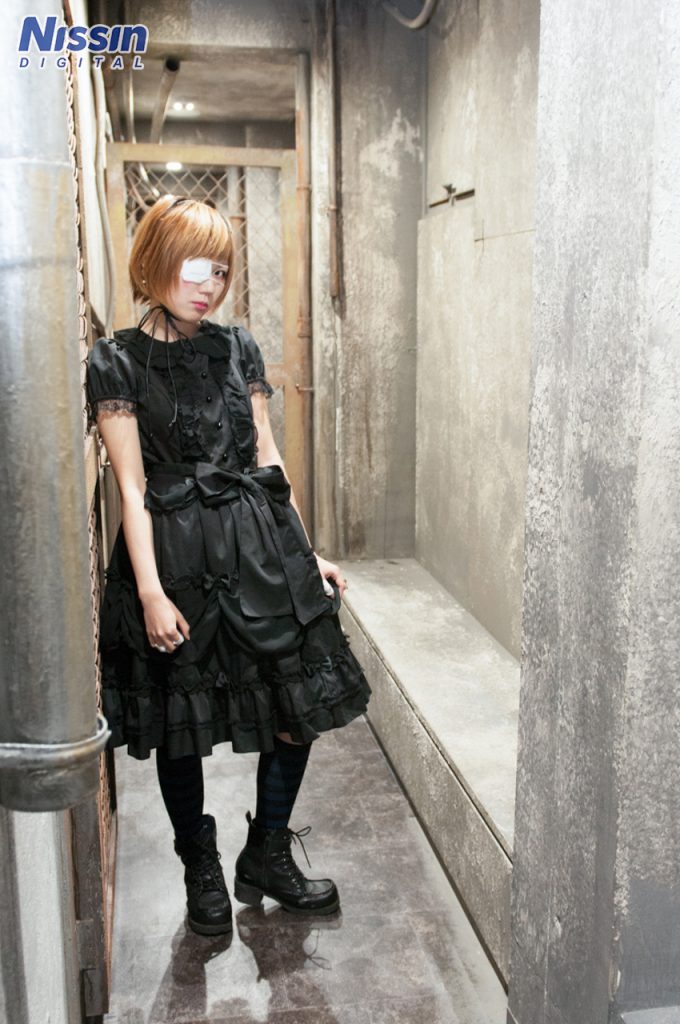 It’s a normal color. Even if you color-correct this photo to be green, the whole image will just end up with an unnatural color cast.
So, how can you make only the background green like in the photos?
You might expect me to say, "Put a color filter on the background like in the 'Steampunk' edition," but since this booth is a long corridor, it would require multiple strobes to color the entire space.
Therefore, this time, we will use a color filter on the main light, not the background!
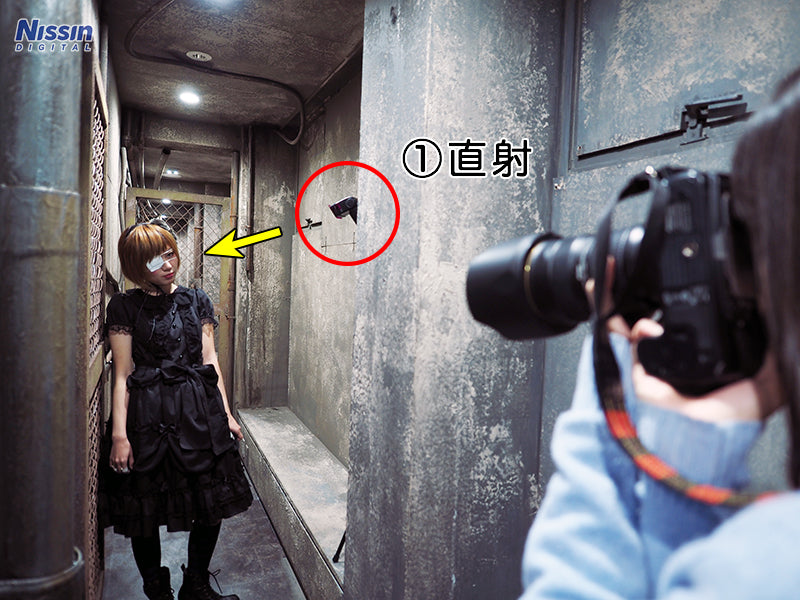 I am using one strobe.
(1) Di700, direct, with a magenta color filter, power 1/128
I placed the strobe just behind the pillar on the right side of the hallway, facing the model.
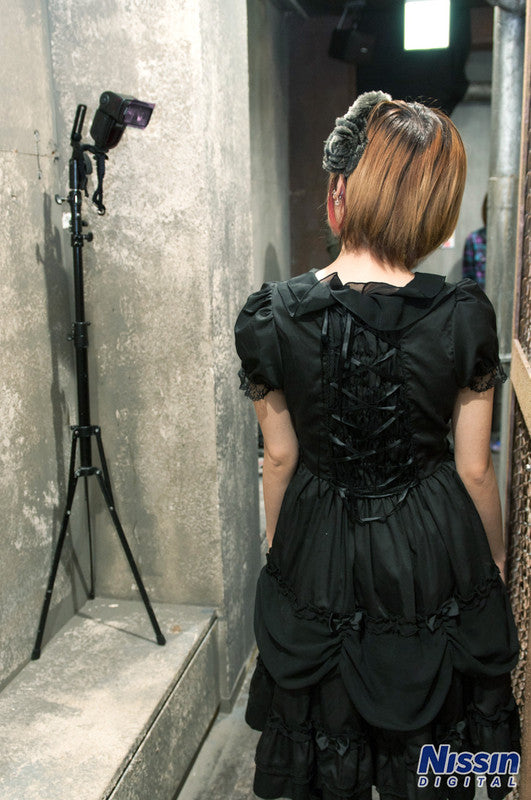 Here it is. Since this hallway is long and narrow, I hid the strobe in a position where it wouldn't interfere with the shoot. I then attached a magenta color filter to this strobe.
So, if you shoot with the white balance set to "Daylight"...
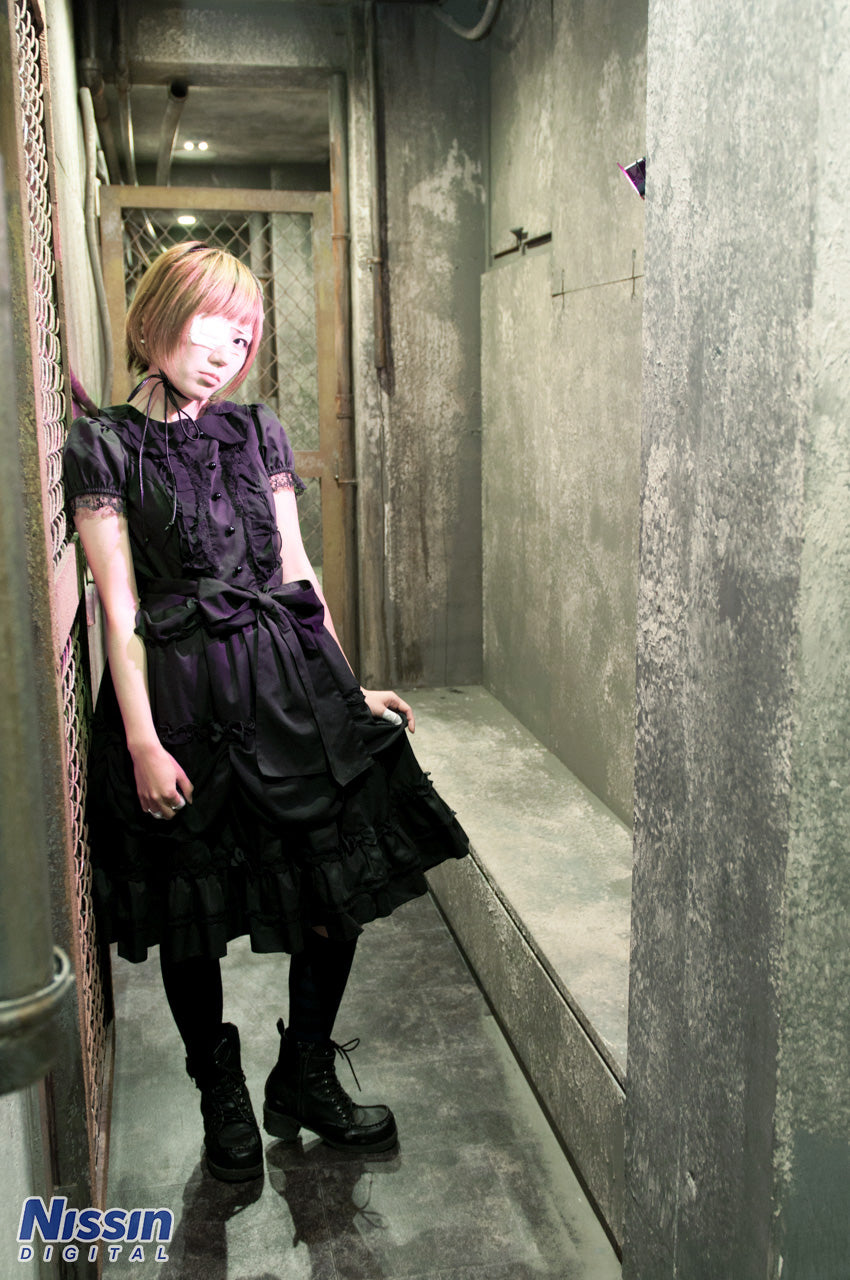 The area hit by the light becomes magenta, like this.
Then...
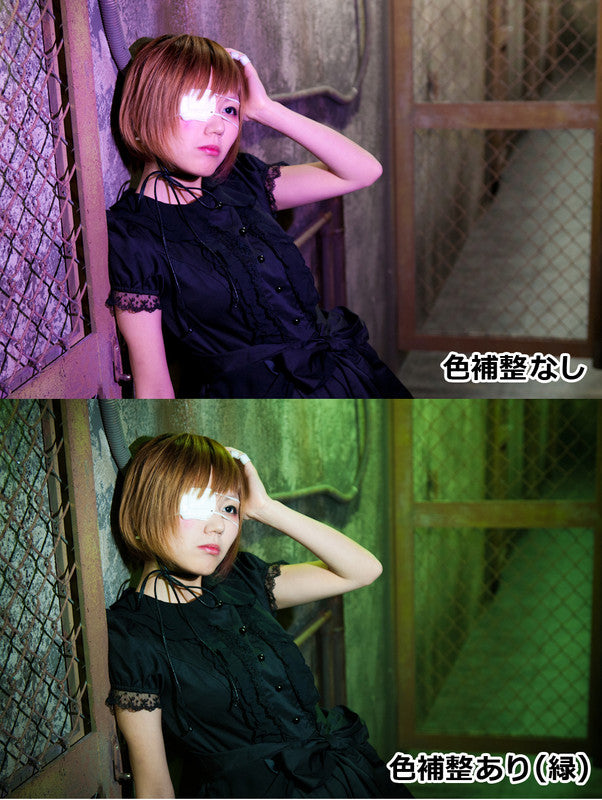
The color cast on the main subject was removed, and the background, which didn't have the light cast on it, turned green! This is because magenta and green are complementary colors; the green adjustment cancels out the magenta, returning the light on the subject to the correct color.
By utilizing complementary colors this way, you can change the color of the rest of the scene by only applying a filter to the main light. This is highly recommended when you want to add color to the background but don't have enough strobes! It’s also fun to try when you want to give a normal background a unique atmosphere.
Also, since this shoot utilizes ambient light, the camera's exposure settings are adjusted to capture that ambient light.
[ Exposure settings: ISO 500, Aperture: F3.2, Shutter speed: 1/30 sec ]
I set it to capture light by opening the aperture and slowing the shutter speed.
If you are worried about camera shake with a slow shutter, you can also increase the ISO sensitivity.
It's easiest to first set your exposure so that the scene looks bright with just the ambient light (no strobe), and then add the strobe to the setup.
Once you master lighting that utilizes ambient light, you can avoid the common mistake of having "the area lit by the strobe look bright while the background remains too dark."
This shoot was done in the Factory Passageway at "HACOSTADIUM cosset Ikebukuro".
By using this technique, you can change the colors of various locations just by using a color filter on one strobe.
Beyond magenta and green, yellow and blue, as well as red and cyan, are also complementary color pairs.
Understanding complementary colors makes color correction much easier, so it’s definitely a useful concept to grasp.
Please try out various lighting setups using your strobe!
(2015/08/17 Photography/Text: Ai Ehara)
Shooting Data[Camera Settings]
ISO 500
Aperture F3.2
Shutter speed 1/30
[Lighting Data]
(1) Di700, direct, color filter magenta, power 1/128
[Photography Equipment List]
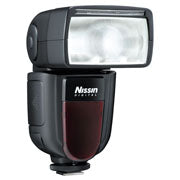 Di700ADirect/Specialty store exclusive model Guide number 54 (200mm), 28 (35mm) *ISO100
Newly equipped with a radio wireless TTL system (NAS), providing easy and quick operation. TTL strobe for digital SLR cameras. For Canon/Nikon/Sony/Fujifilm/Four Thirds.
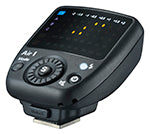 Air1*Discontinued model NAS (Nissin Air System) compliant. Commander dedicated to the radio wireless communication system. For Canon/Nikon/Sony/Fujifilm/Four Thirds.
Photography & Production
Nissin Digital
Photography Cooperation
HACOSTADIUM OSAKAHACOSTADIUM cosset Osaka Nipponbashi
HACOSTADIUM cosset Ikebukuro