

Lighting Bible: Lighting for Subjects with Freedom of Movement
Lighting Bible
~ Lighting for Subject Freedom of Movement ~
@PANY STUDIO
We conducted a lighting photo shoot using Nissin strobes at the Tokyo Akihabara studio "PANY STUDIO"!In this Lighting Bible, we will introduce the lighting method used for those photos.
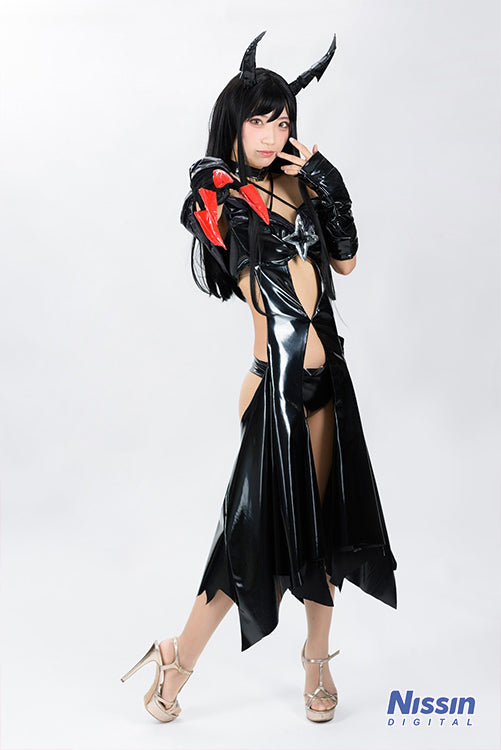 Model: Aozora.
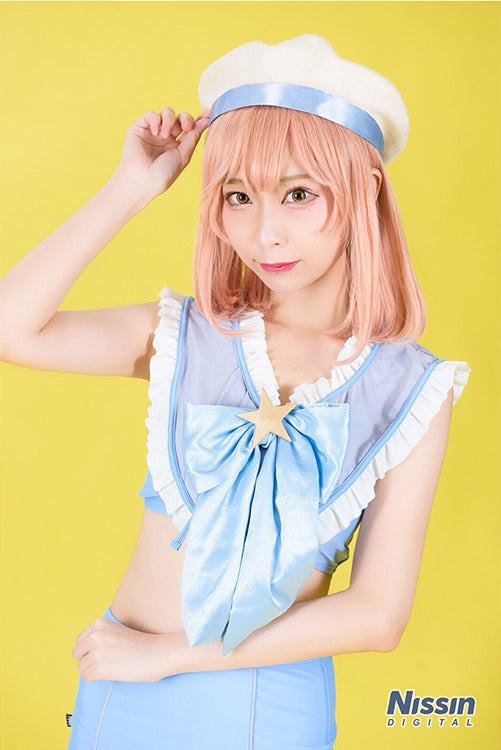 Model: Tenko Tenjo
What we are introducing today is a lighting setup that allows for photos with minimal shadows when using a background paper setup.
It is recommended for when you want to achieve standard, evenly lit shots for female characters or cute-style characters, or when you want your model to be able to move freely without worrying about the orientation of their face or body. It is also a suitable lighting setup for shooting multiple people.
Shooting Method
[ Lighting Data ]
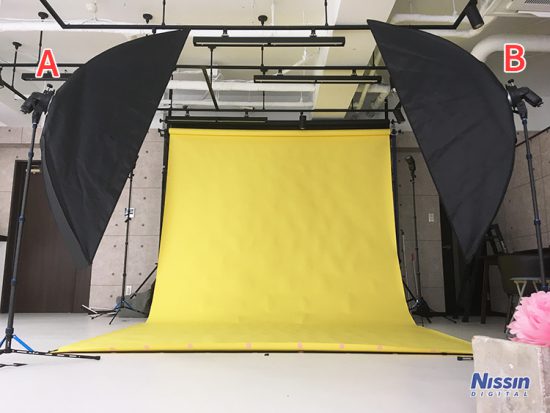
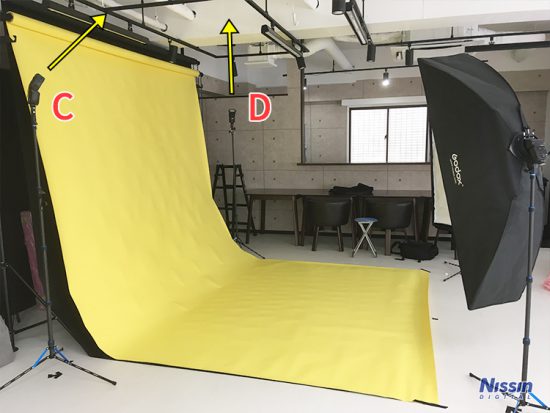
A & B : i60A, Softbox, Output 1/8
C & D : i60A, Direct, Output 1/8
[Camera Settings]
ISO 500
Aperture F 3.2
Shutter Speed 1/125
ISO 500
Aperture F 3.2
Shutter Speed 1/125
We are using four strobes. For the main lights A and B, two long, thin strip-type softboxes are placed on both sides in front. The strip softboxes are used in a vertical orientation so that light covers the entire body evenly.
The two strobes C and D, placed on both sides of the background paper at the back of the set, are pointed toward the ceiling to brighten the background. By hitting the studio's white ceiling with light, the reflected light from above diffuses softly and broadly. This has the effect of not only illuminating the background but also brightening the entire scene and creating even lighting.
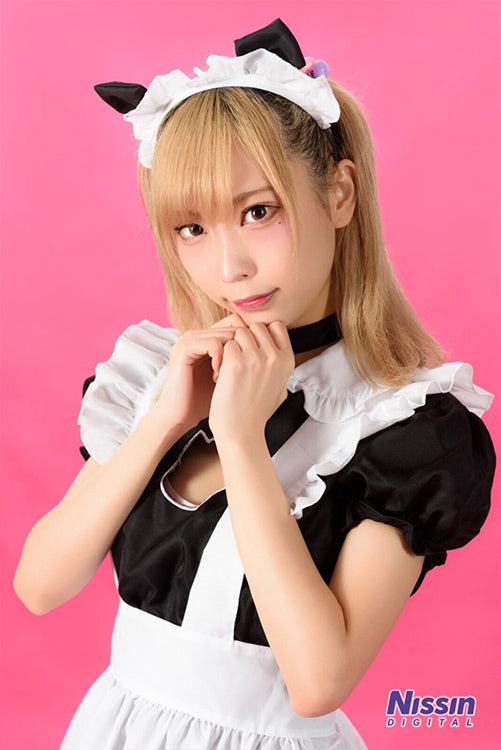
This is a lighting setup that works for both full-body and close-up shots. We recommend using a bright-colored background paper. Since the brightness of the background paper changes by adjusting the output of the two rear lights (C and D), feel free to adjust them to your preference. If you want to drop the background into darkness, such as when using black background paper, turn these strobes off.
Because the main lights A and B are placed on either side, if the model's position shifts too far forward, shadows can easily appear on the side of the nose when they face directly ahead. Be careful not to let the model's position come too far forward. The light will wrap more beautifully if the model's face is turned slightly to the left or right.
〈Application Pattern 1〉While keeping the lighting placement the same, you can change the impression of the photo by adjusting the strobe output balance.
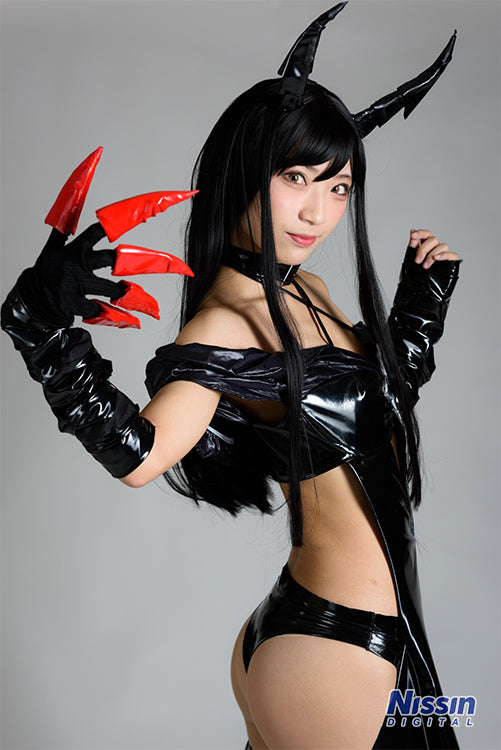 Model: Aozora.
The output for B remains the same. The output for A has been lowered slightly, and C and D are turned off.
Because the output of A was lowered, a light intensity difference is created, establishing a relationship where B is the main light and A is the fill light. Since there is more shadowing than when A and B are set to the same output, the photo gains a sense of depth and dimensionality. Increasing the fill light's output makes shadows weaker, while decreasing it makes them stronger. Adjust the output balance to match your desired image.
Since the rear strobes C and D are turned off, the background is dark, and the white background paper appears gray.
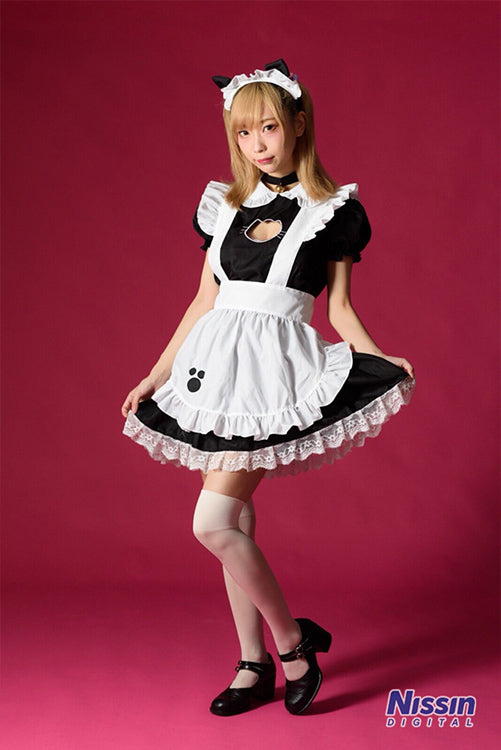 Model: Tenko Tenjo
For this photo, all strobes except for A have been turned off, and the shot was taken using only light A. Because the shadows are deep, it creates a three-dimensional and cool impression. Since the emission area of the main light is large, the shadows appear smooth.
The same pink background paper as in the photo two steps above is used, but because the light intensity dropped and it became darker, it has taken on a chic tone.
〈Application Pattern 2〉
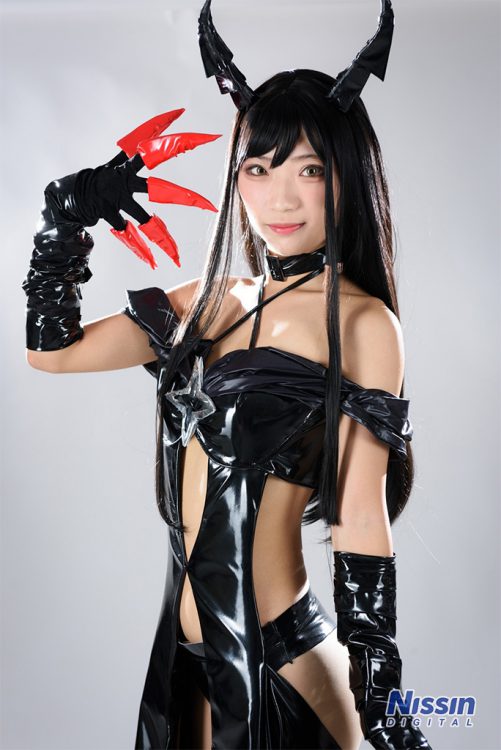 In this shot, the orientation of strobes C and D, which were pointed at the ceiling, has been changed to point directly at the model's back. Backlighting from both sides highlights the sheen of the hair and the lines of the body.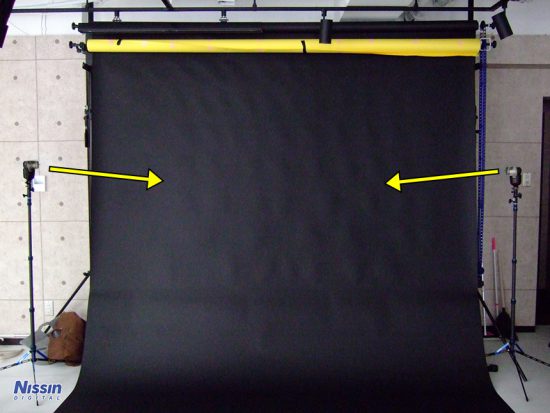
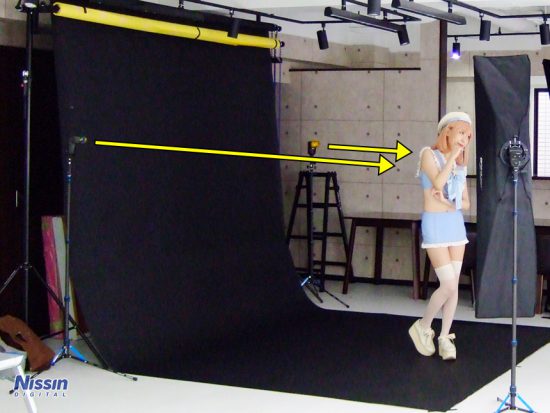 The light from the back acts as an accent, adding a sparkling effect to the lighting. It's also fun to try adding color with color filters.
This was a lighting method using a background paper setup that allows subjects to move freely. Since the image of the photo changes by altering the light output balance, it is a setup that allows you to shoot in various patterns to match the costume and character.
"PANY STUDIO" currently has Nissin equipment available for rent. By all means, please try your hand at strobe lighting photography!
(2019/11/25 Photography and Text: Ai Ehara)
Shooting Data[Camera Settings]
ISO 500
Aperture F 3.2
Shutter Speed 1/125
[Lighting Data]
A & B : i60A, Softbox, Output 1/8
C & D : i60A, Direct, Output 1/8
Commander : Air10s
[Photography Equipment List]
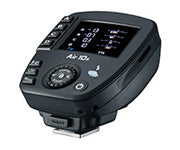 Air10s[NAS] High-performance NAS commander. Long-range communication up to 100m, adjustable in 1/3 EV steps. For Canon, Nikon, Sony, Fujifilm, and Four Thirds.
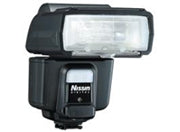 i60A[NAS] Guide Number 60 (200mm), 32 (35mm) *at ISO100. Compact, high-output, and features a built-in NAS-compatible wireless receiver. HSS and external power source supported. For Canon, Nikon, Sony, Four Thirds, and Fujifilm.
 Super Light Stand LS-50CWeighs only 545g. Carbon fiber ultra-lightweight light stand. Includes battery holder.
Photography & Production
Nissin Digital
Photography Cooperation
PANY STUDIO
PANY STUDIO