
Air R FAQ (Frequently Asked Questions)
These are frequently asked questions and answers regarding Air R. You can narrow down your search using the search box at the top of the page. If your issue is not resolved, please contact us.
List of Questions (1)
Q. Notes on usage
Compatible models: AirR
A. The AirR is a wireless TTL adapter that uses our proprietary radio communication system (Nissin Air System), just like the Air10s and Air1.
It is designed to incorporate your existing flash into the NAS system, so unlike third-party wireless adapters, there are some limitations due to its specifications.
Please be sure to check the following points in advance.Set the flash mode to "TTL"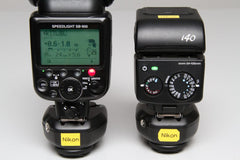 Always set the flash mounted on the AirR to "TTL mode." For Nissin flashes, set it to "TTL," not "A (Full Auto)." Also, set the exposure compensation to +0.
If it is set to anything other than TTL mode, it will not function properly.Select between the two power levels according to the flash's GN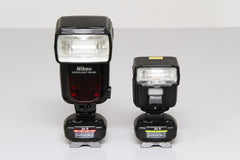 You must select between two output modes on the AirR to match the maximum guide number of the mounted flash (the value at the maximum zoom position). This operation is necessary for more accurate light control when firing in manual mode with an Air commander. If not switched correctly, the output may not be correct.
Please refer to the compatibility chart for the output mode required for each flash model. Basically, set it to "red for high-output flashes and green for low-output flashes." Switching methods are described in the instruction manual and on the AirR mini-stand.【Regarding combinations of AirR with Air10s and Air1】(1) Please use the Air1 in a combination that operates in TTL mode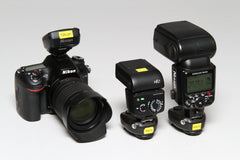 The AirR operates on the premise that the Air10s or Air1 commander is operating in TTL mode. To use all functions, all devices must be for the same mount.
The photo above shows examples of combinations using a Nikon camera: Air10s for Nikon, AirR for Nikon + i40 for Nikon, and AirR for Nikon + original Nikon flash.
In this case, in addition to TTL/manual firing, remote light control, and zoom adjustment, you can use all the camera's features such as high-speed sync and rear-curtain sync.
(For Sony flashes, the HSS icon on the flash may turn off if the flash head is set to anything other than the front position, but shooting in HSS mode is still possible via the Air commander.)
However, there are still some limitations in this setup.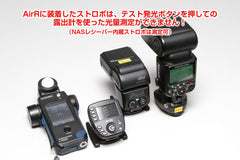 As mentioned above, since the AirR operates on the premise of TTL mode, you cannot measure exposure by pressing the test-fire button on the commander.
Please take a photo with the Air commander attached to the camera to perform the measurement.
Note that our MG10, i60A, and Di700A, which have built-in NAS receivers, allow for exposure measurement using the test-fire button.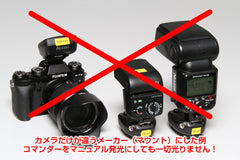 ↑ Example using a Fujifilm camera with Air10s for Nikon, AirR for Nikon + i40 for Nikon, and AirR for Nikon + original Nikon flash
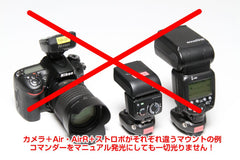 ↑ Example using a Nikon camera + Air10s for Nikon, with AirR for Canon + i40 for Canon, and AirR for Canon + original Canon flash
You might think, "Since it's convenient to adjust the light output remotely, wouldn't it work with different cameras in manual mode?" However, because the AirR is strictly based on TTL operation, it will not fire at all in combinations where TTL is not established, as shown in the two photos above.(2) Manual-only flashes that do not support TTL can only be syncedIf you are using a flash designed only for manual adjustment, you can trigger the flash by picking up the shutter signal from the AirR. In this case, the camera manufacturer, commander, and AirR receiver mount/combination do not matter.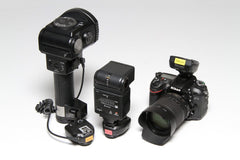 The photo above shows an example of a manual-only flash attached to an AirR for Canon and a manual-only grip flash connected to the sync terminal of an AirR for Sony, used with a Nikon camera + Air10s for Nikon. Studio strobes can also be synced in the same way.
In this case, the Air commander must be set to manual flash mode. Light output settings are not reflected, so any output setting is fine.
Naturally, the flash output cannot be controlled remotely from the Air commander, so it must be adjusted manually on each individual flash.
However, please be aware that some old flashes (from the manual-focus film SLR era) may have a high voltage of 200V or more at the sync terminal, which will damage the AirR if connected. We cannot provide information on sync voltage or compatibility, so please research it yourself before use.(3) When you only want to sync original manufacturer flashesIn principle, if you set the mounted original flash to manual mode, it becomes the same as the manual-only flash in (2).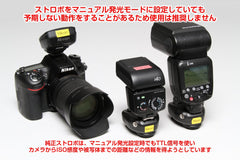 In the photo, only the flash mounted on the AirR is for a non-Nikon mount (in this case, for Canon).
However, we do not recommend this because original flashes may attempt to communicate with the camera even in manual mode, and touching the TTL communication contacts for other mounts may cause malfunctions.
Furthermore, even if you ask us about the compatibility of various flash models, it is difficult to verify due to the infinite number of combinations, and the AirR is not designed for such use, so we cannot answer. Thank you for your understanding.Other notes● This unit does not support Group D, A-D (Advance Group) control, or OPEN mode found on the Air10s, etc.
● Since this device uses a digital communication method, some camera models may experience shutter curtain clipping (part of the image turning black) when shooting at the camera's maximum sync speed. If this occurs, please lower the shutter speed.
(For example, if clipping occurs on a model with a max sync of 1/250, try 1/200.)
● Due to the system architecture of Canon cameras, if the shutter speed is set faster than 1/30, the camera will perform first-curtain sync even if rear-curtain sync is selected. To use rear-curtain sync, please set the shutter speed to 1/30 or slower.
● The AirR antenna is on the front side of the unit, so if you attach a large diffuser, facing the side of the unit with the Nissin logo toward the camera will improve signal reception.
● When attaching a flash with a heavy diffuser to the AirR, using only the resin shoe on the bottom may not be secure and carries a risk of falling. We strongly recommend using the screw hole on the bottom.
● Please ensure your AirR is running the latest firmware version. If you are using old firmware, some operations may not function normally. Information regarding the latest firmware can be found in the AirR FAQ.
It is designed to incorporate your existing flash into the NAS system, so unlike third-party wireless adapters, there are some limitations due to its specifications.
Please be sure to check the following points in advance.Set the flash mode to "TTL"
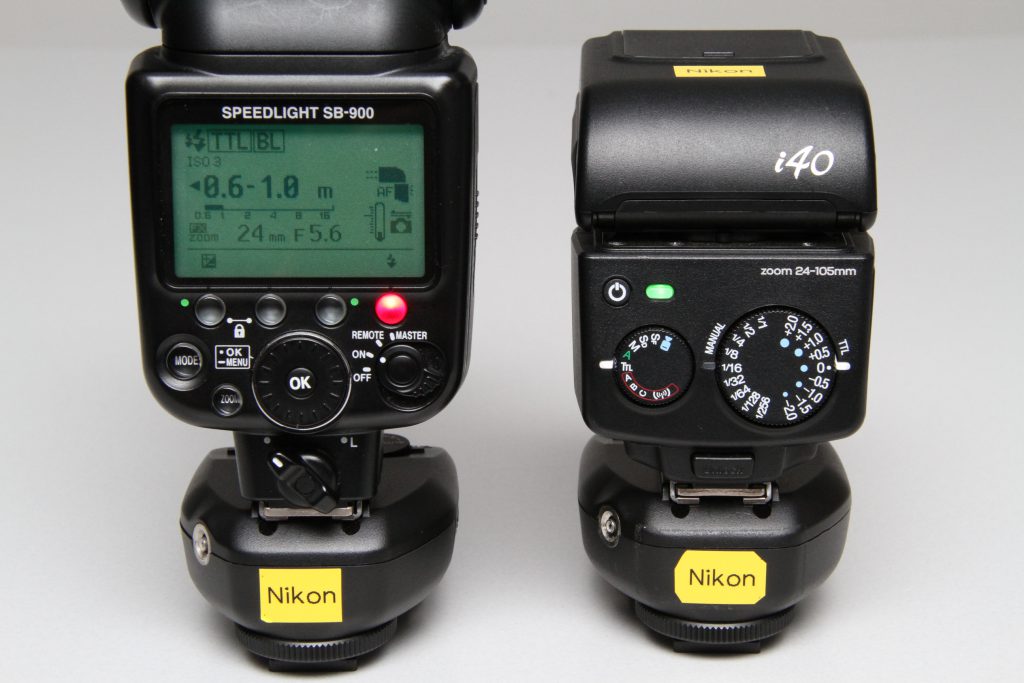 Always set the flash mounted on the AirR to "TTL mode." For Nissin flashes, set it to "TTL," not "A (Full Auto)." Also, set the exposure compensation to +0.
If it is set to anything other than TTL mode, it will not function properly.Select between the two power levels according to the flash's GN
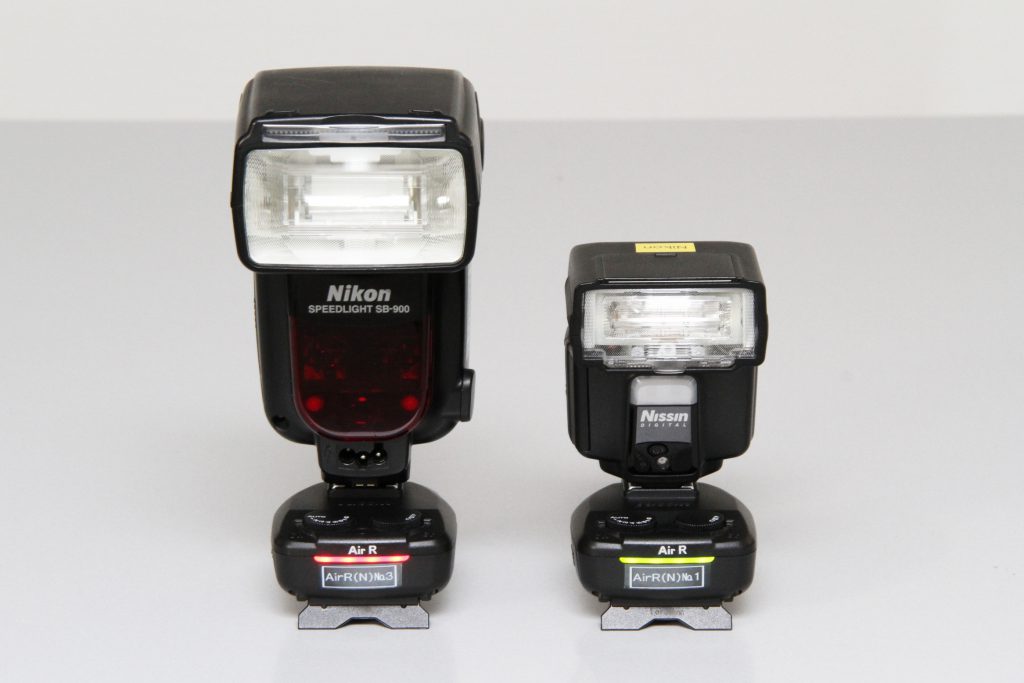 You must select between two output modes on the AirR to match the maximum guide number of the mounted flash (the value at the maximum zoom position). This operation is necessary for more accurate light control when firing in manual mode with an Air commander. If not switched correctly, the output may not be correct.
Please refer to the compatibility chart for the output mode required for each flash model. Basically, set it to "red for high-output flashes and green for low-output flashes." Switching methods are described in the instruction manual and on the AirR mini-stand.【Regarding combinations of AirR with Air10s and Air1】(1) Please use the Air1 in a combination that operates in TTL mode
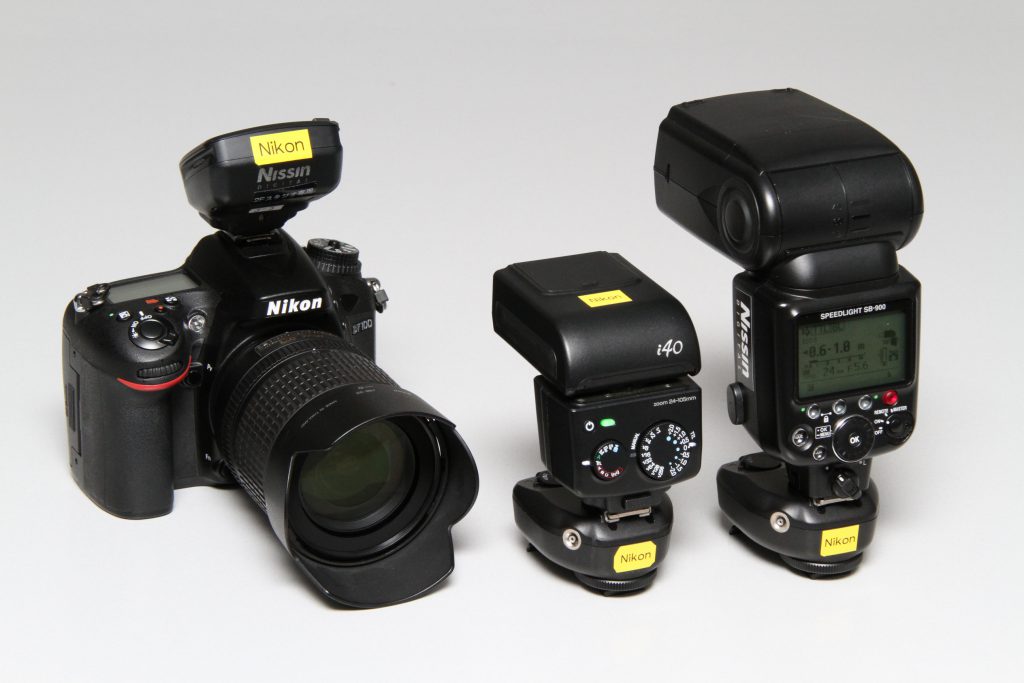 The AirR operates on the premise that the Air10s or Air1 commander is operating in TTL mode. To use all functions, all devices must be for the same mount.
The photo above shows examples of combinations using a Nikon camera: Air10s for Nikon, AirR for Nikon + i40 for Nikon, and AirR for Nikon + original Nikon flash.
In this case, in addition to TTL/manual firing, remote light control, and zoom adjustment, you can use all the camera's features such as high-speed sync and rear-curtain sync.
(For Sony flashes, the HSS icon on the flash may turn off if the flash head is set to anything other than the front position, but shooting in HSS mode is still possible via the Air commander.)
However, there are still some limitations in this setup.
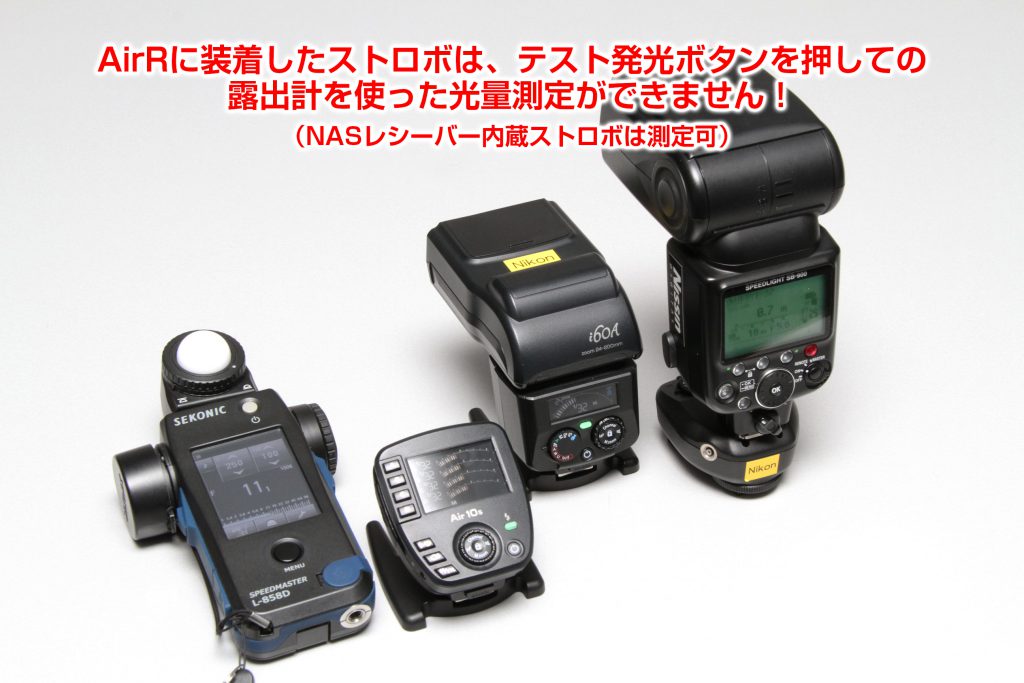 As mentioned above, since the AirR operates on the premise of TTL mode, you cannot measure exposure by pressing the test-fire button on the commander.
Please take a photo with the Air commander attached to the camera to perform the measurement.
Note that our MG10, i60A, and Di700A, which have built-in NAS receivers, allow for exposure measurement using the test-fire button.
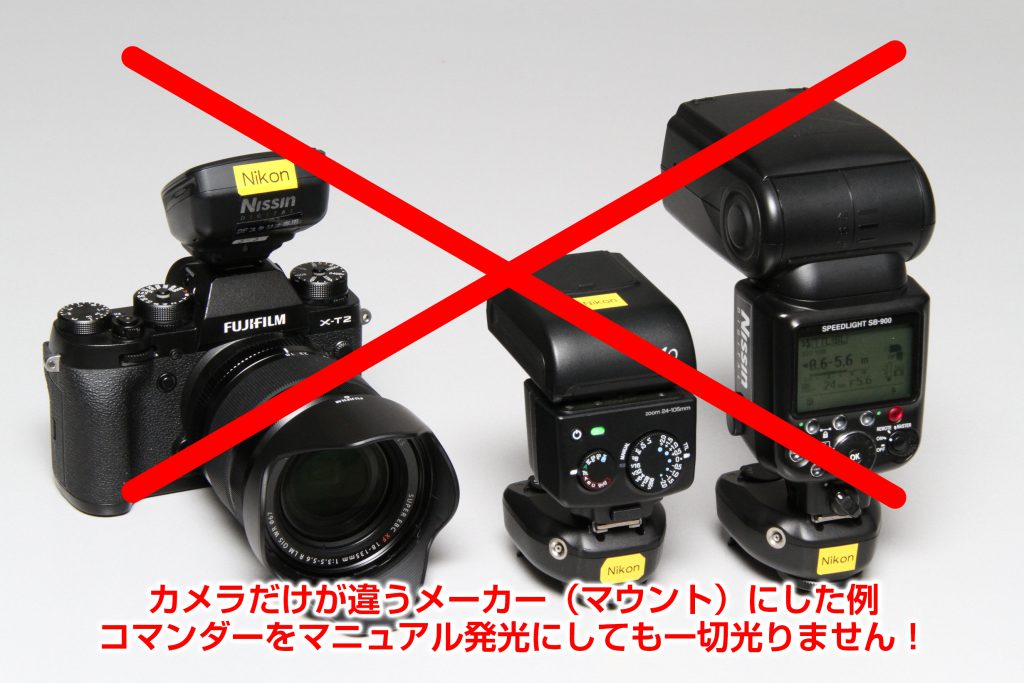 ↑ Example using a Fujifilm camera with Air10s for Nikon, AirR for Nikon + i40 for Nikon, and AirR for Nikon + original Nikon flash
 ↑ Example using a Nikon camera + Air10s for Nikon, with AirR for Canon + i40 for Canon, and AirR for Canon + original Canon flash
You might think, "Since it's convenient to adjust the light output remotely, wouldn't it work with different cameras in manual mode?" However, because the AirR is strictly based on TTL operation, it will not fire at all in combinations where TTL is not established, as shown in the two photos above.(2) Manual-only flashes that do not support TTL can only be syncedIf you are using a flash designed only for manual adjustment, you can trigger the flash by picking up the shutter signal from the AirR. In this case, the camera manufacturer, commander, and AirR receiver mount/combination do not matter.
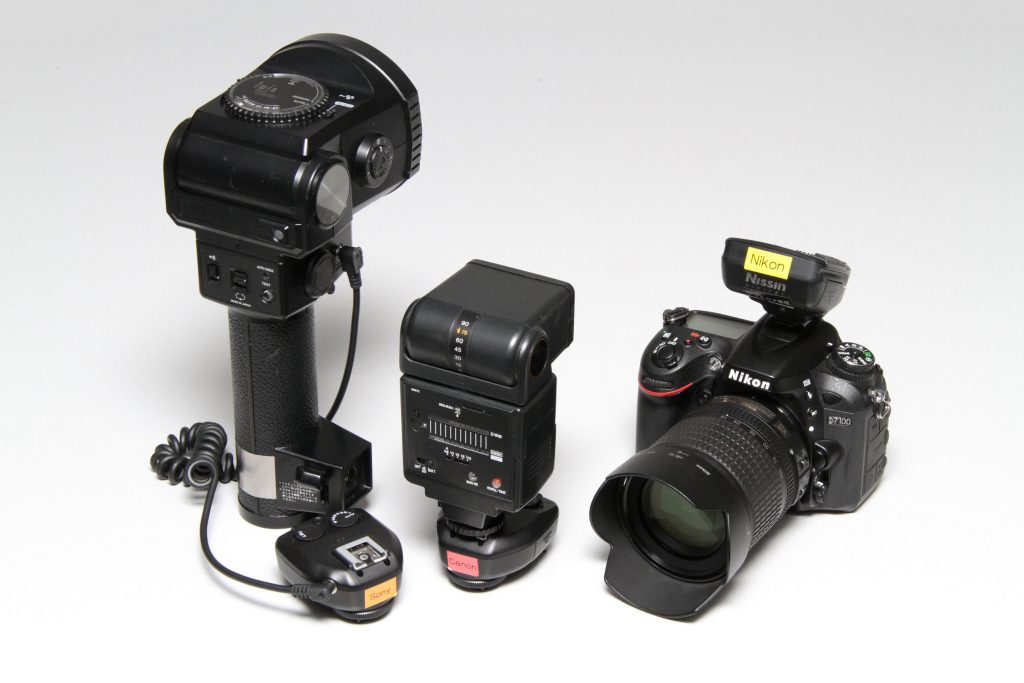 The photo above shows an example of a manual-only flash attached to an AirR for Canon and a manual-only grip flash connected to the sync terminal of an AirR for Sony, used with a Nikon camera + Air10s for Nikon. Studio strobes can also be synced in the same way.
In this case, the Air commander must be set to manual flash mode. Light output settings are not reflected, so any output setting is fine.
Naturally, the flash output cannot be controlled remotely from the Air commander, so it must be adjusted manually on each individual flash.
However, please be aware that some old flashes (from the manual-focus film SLR era) may have a high voltage of 200V or more at the sync terminal, which will damage the AirR if connected. We cannot provide information on sync voltage or compatibility, so please research it yourself before use.(3) When you only want to sync original manufacturer flashesIn principle, if you set the mounted original flash to manual mode, it becomes the same as the manual-only flash in (2).
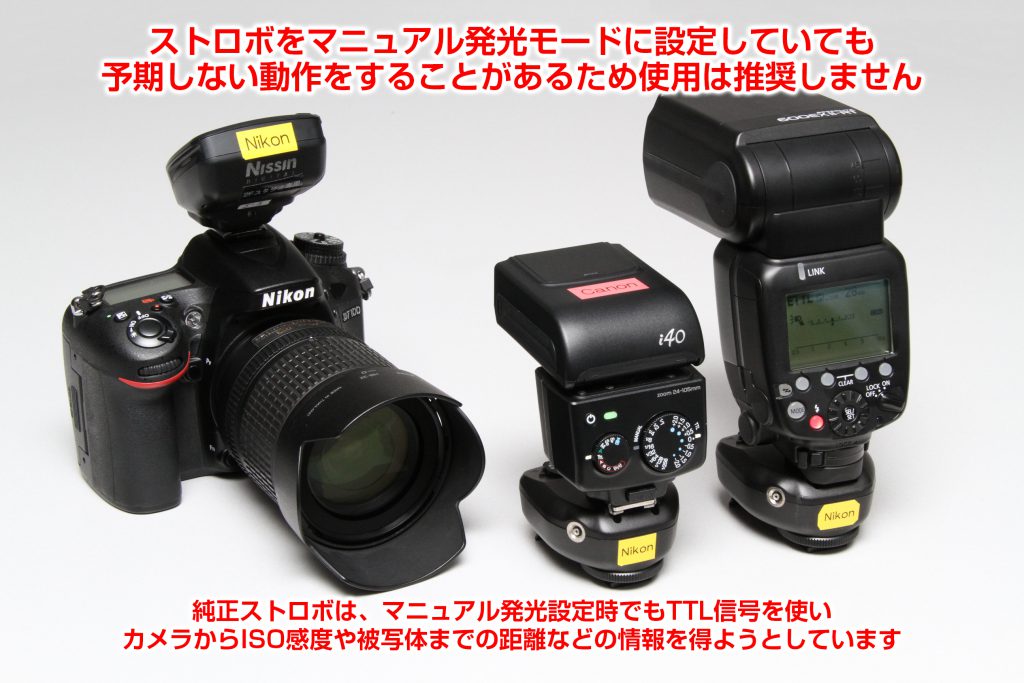 In the photo, only the flash mounted on the AirR is for a non-Nikon mount (in this case, for Canon).
However, we do not recommend this because original flashes may attempt to communicate with the camera even in manual mode, and touching the TTL communication contacts for other mounts may cause malfunctions.
Furthermore, even if you ask us about the compatibility of various flash models, it is difficult to verify due to the infinite number of combinations, and the AirR is not designed for such use, so we cannot answer. Thank you for your understanding.Other notes● This unit does not support Group D, A-D (Advance Group) control, or OPEN mode found on the Air10s, etc.
● Since this device uses a digital communication method, some camera models may experience shutter curtain clipping (part of the image turning black) when shooting at the camera's maximum sync speed. If this occurs, please lower the shutter speed.
(For example, if clipping occurs on a model with a max sync of 1/250, try 1/200.)
● Due to the system architecture of Canon cameras, if the shutter speed is set faster than 1/30, the camera will perform first-curtain sync even if rear-curtain sync is selected. To use rear-curtain sync, please set the shutter speed to 1/30 or slower.
● The AirR antenna is on the front side of the unit, so if you attach a large diffuser, facing the side of the unit with the Nissin logo toward the camera will improve signal reception.
● When attaching a flash with a heavy diffuser to the AirR, using only the resin shoe on the bottom may not be secure and carries a risk of falling. We strongly recommend using the screw hole on the bottom.
● Please ensure your AirR is running the latest firmware version. If you are using old firmware, some operations may not function normally. Information regarding the latest firmware can be found in the AirR FAQ.