
MG8 Frequently Asked Questions (FAQ)
These are frequently asked questions and answers regarding the MG8. You can narrow down the question you are looking for using the search box at the top of the page. If your issue is not resolved, please contact us.
List of Questions (3)
- Lithium-ion batteries charged with the L4 charger drain quickly
- What should I do if the power won't turn on?
- Cables required for using the remote shutter function of the MG8 and MG10
Q. Lithium-ion batteries charged with the L4 charger drain quickly
Compatible models: MG8, MG10, MG60, MG80 Pro, MG-X, L4 Charger
Are you using the KEEPPOWER L4 charger and finding that your batteries seem to drain quickly?
If so, please check or try the following.
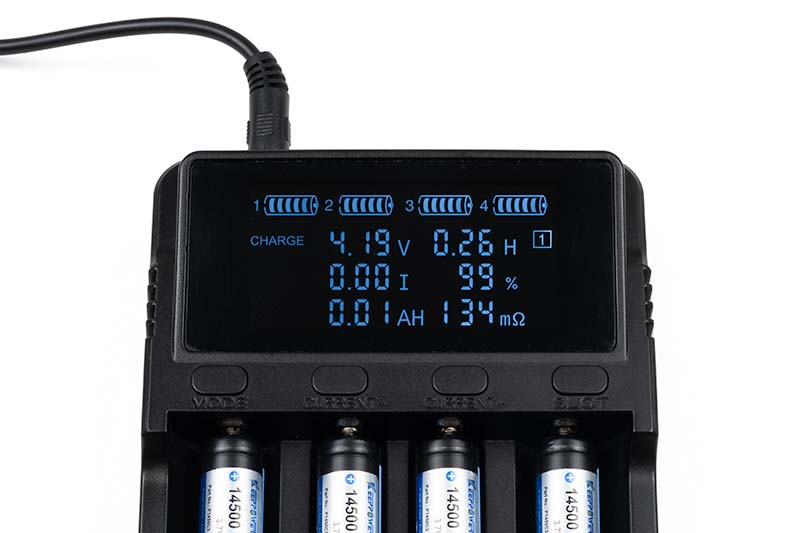
When charging two or more sets of batteries, you need to charge them in two or more batches. However, if you leave the charger turned on after finishing the first set and insert the next batteries to start charging, the correct remaining charge may not be displayed.
Specifically, if you charge the first set of batteries to full (indicated as 100%) and then insert the next set, it may display "99%" even if those batteries have only actually been charged a little bit.
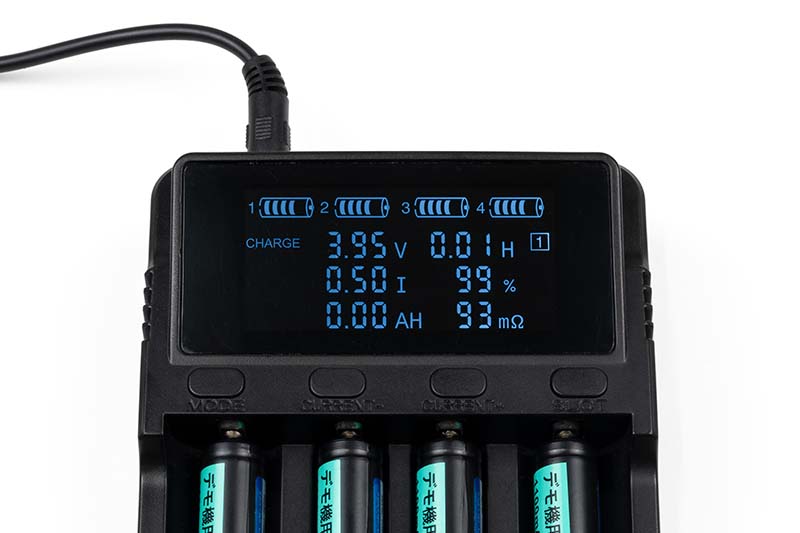
(Normally, it is about 4.2V at 99% charge.)
Because of this, if you remove the batteries from the charger and insert them into your flash unit under the mistaken impression that they are nearly full, they may not actually be fully charged, leading to the feeling that you get fewer flashes than expected (i.e., the batteries drain quickly).
Since the L4 charger's settings reset when it is powered on again, when you are charging batteries consecutively, please unplug and re-plug the power cord connected to the charger each time you swap the batteries before you start charging.
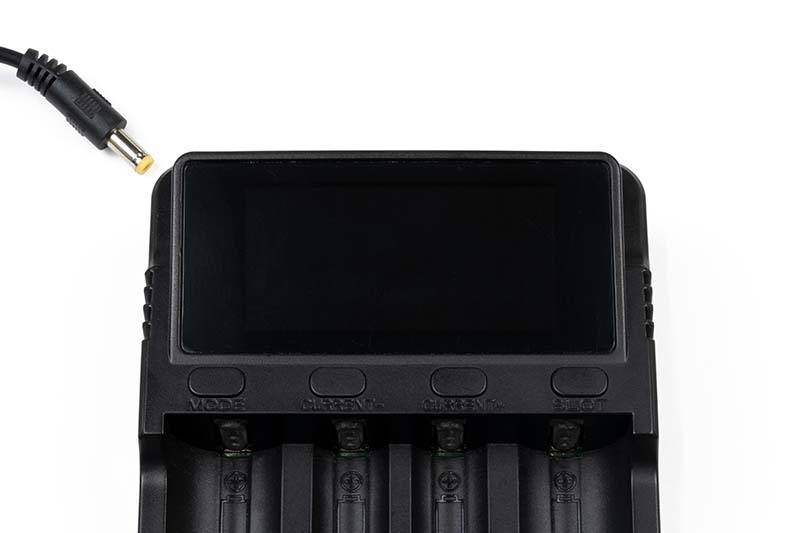
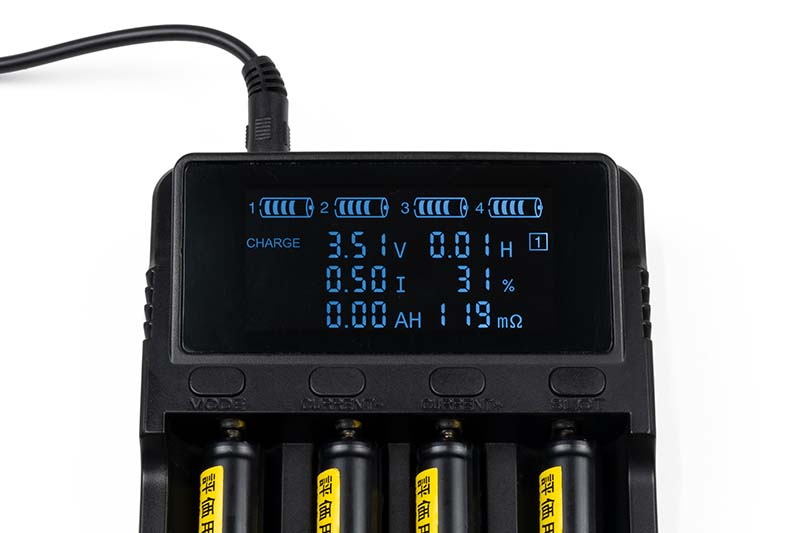
Note that even if the correct charge level is not displayed, the charging process itself is occurring normally; if you continue to charge until it indicates 100%, the battery will be fully charged.
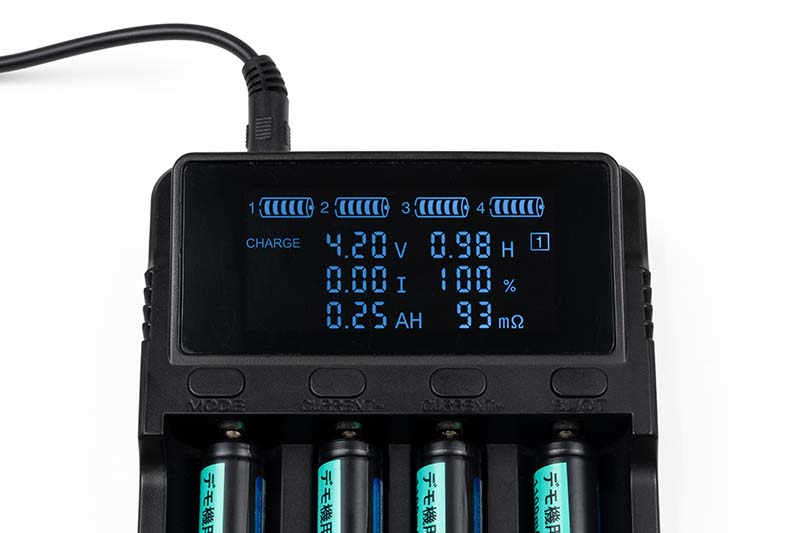
Additionally, because the voltage shows the correct value, you can determine if a battery is nearly fully charged without power-cycling the charger if the voltage has risen to approximately 4.2V.
Q. What should I do if the power won't turn on?
Compatible models: MG8, MG10
If the MG8 or MG10 will not turn on or suddenly shuts off, please check the following points.
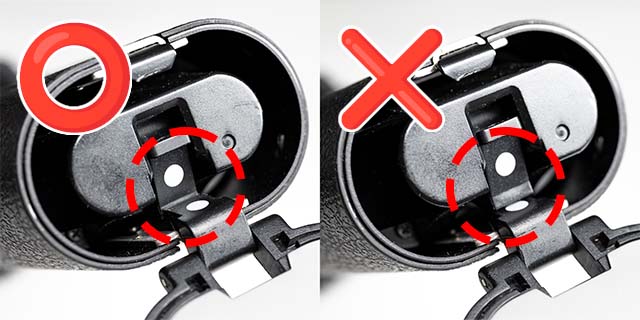
1. Is the battery cartridge inserted all the way?
Insert the battery cartridge so that the white circle on the cartridge aligns with the white circle on the main unit, and confirm it locks with a click before closing the lid.
2. Are the batteries oriented correctly?
Please check that the positive and negative ends of all batteries are oriented correctly inside the cartridge.
3. Are the batteries weak?
If you are using exhausted batteries, please replace them with new ones.
If they are rechargeable batteries, please recharge them.
4. Are the batteries of the correct type?
Please use alkaline batteries, nickel-metal hydride batteries, or verified lithium-ion batteries. Manganese batteries and AA-sized lithium-ion batteries cannot be used.
5. Are the metal terminals on the battery cartridge dirty?
If the silver metal terminals are dirty, please clean them with anhydrous ethanol or similar. If you cannot remove the dirt, such as due to severe oxidation, please purchase a new cartridge.
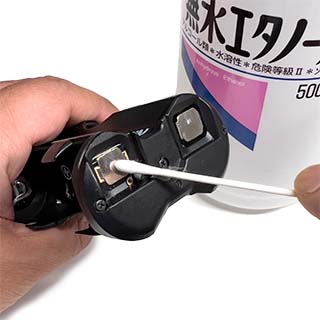
Please also clean the contact terminals inside the battery compartment.
6. Does the power turn on if you press the battery cartridge in?
If the power turns on while holding the battery holder down firmly but turns off when you release it, there may be a fault with the contacts in the main unit. Please request a repair.
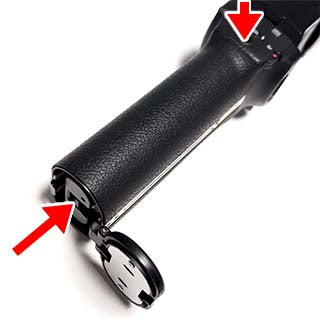
Please try pressing the power button gently while pushing the battery holder even further in than the locking position.
7. Does the power shut off if you vibrate the unit while it is on?
If the power shuts off when you give the unit a light tap with your palm on the battery lid side while it is on, there may be a fault with the contacts in the main unit. Please request a repair.
8. Are you holding down the power button for too long?
The pilot lamp usually lights up within one second of pressing the power button, but if you continue to hold it down, the power will shut off. Except when entering pairing mode, please release your finger as soon as the power button is pressed.
If the symptoms persist after checking these items, please request a repair.
Q. Cables required for using the remote shutter function of the MG8 and MG10
To use the remote shutter function of the MG8 or MG10, you will need a separate cable to connect the commander (Air10s or MG80 Pro) to the camera's remote terminal.
Cables are not included with the commander, so please prepare a commercially available cable that matches the remote shutter terminal specifications of your camera.
* If your camera does not have a remote shutter terminal, you cannot use the remote shutter function of the MG8/MG10.
Cable Specification Requirements
Commander side (Air10s, MG80 Pro)
2.5mm 3-pole (TRS)
Camera side
Canon
There are N3 (proprietary shape) and E3 (2.5mm 3-pole) types, so please prepare a cable with the terminal shape that fits your camera.
Nikon
There are 10-pin terminals (round) and accessory terminals (rectangular), so please prepare a cable with the terminal shape that fits your camera.
SONY
There are S1 type (rectangular, for A-mount) and S2 type (microUSB, for E-mount), so please prepare a cable with the terminal shape that fits your camera.
FUJIFILM
There are Mini USB (compatible with Fujifilm RR-80 remote release), Micro USB (compatible with RR-90), and 2.5mm 3-pole (compatible with RR-100), so please prepare a cable with the terminal shape that fits your camera.
OLYMPUS / OM SYSTEM
There are multi-USB connectors (compatible with Olympus RM-UC1) and 2.5mm 3-pole (compatible with RM-CB2), so please prepare a cable with the terminal shape that fits your camera.
* Note that the LUMIX cable (2.5mm 3-pole to 2.5mm 4-pole) previously included with the Air10s cannot be used.
LUMIX (Panasonic)
Please use a 2.5mm 3-pole to 2.5mm 4-pole (with resistor) cable.
* Note that Olympus cables (2.5mm 3-pole to 2.5mm 3-pole) cannot be used.